Skip to content
Chris Ilias

I still dream of Organon

Chris Ilias

I still dream of Organon

  • Home
  • Portfolio
  • Home
  • Portfolio
Close

Search

  • About
Subscribe
Chris Ilias

I still dream of Organon

Chris Ilias

I still dream of Organon

  • Home
  • Portfolio
  • Home
  • Portfolio
Close

Search

  • About
Subscribe
Home/Mozilla/Clippings for Thunderbird replacement: Quicktext
MozillaThunderbird

Clippings for Thunderbird replacement: Quicktext

By Chris Ilias
November 14, 2020 1 Min Read
1

I was a long time user of Clippings in Thunderbird. I used it for canned responses in the support newsgroups and more. Now that the Clippings is not being updated for Thunderbird 78, it’s time to look for a replacement.

I found a great replacement, called Quicktext.

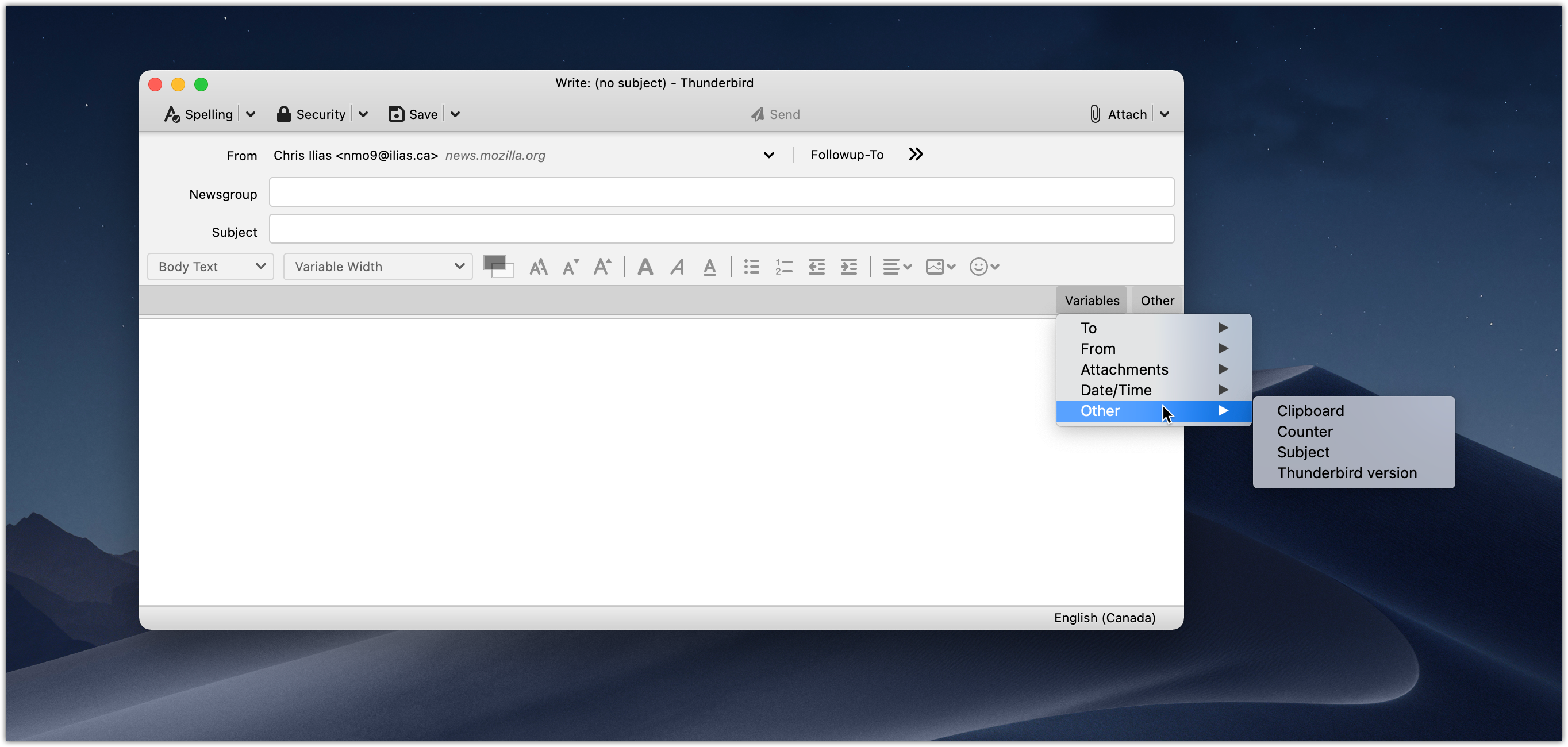
With Quicktext, I create a TXT file for each response and put them in a designated directory. Quicktext has the option to paste from a TXT file or an HTML file. When composing a message, there are two buttons to the far-right above the text area.

To paste text from a local file, click Other, then choose either Insert file as Text or Insert file as HTML.

Additionally, you can click Variable, and paste items click the sender or recipient’s name, attachment name and size, dates, and more.
I’ve found Quicktext to be more versatile than Clippings, and have been very happy with it. You can download it from addons.thunderbird.net.

Author

Chris Ilias

Follow Me
Other Articles
Previous

How to fix Firefox Sync issues by resetting your data

Next

The screenshot option in Firefox has moved. Here’s how to find it.

One Comment
  1. Links 15/11/2020: The LibreOffice Calc Guide 7.0 and PinePhone KDE Community Edition | Techrights says:
    November 15, 2020 at 10:06 am

    […] Clippings for Thunderbird replacement: Quicktext – Chris Ilias […]

Leave a Reply

Your email address will not be published. Required fields are marked *

This site uses Akismet to reduce spam. Learn how your comment data is processed.

Recent Posts

  • The screenshot option in Firefox has moved. Here’s how to find it.
  • Clippings for Thunderbird replacement: Quicktext
  • How to fix Firefox Sync issues by resetting your data
  • How to edit Firefox for iOS bookmarks
  • How to add the share menu to the Firefox address bar

Recent Comments

  • Norman on The screenshot option in Firefox has moved. Here’s how to find it.
  • Chris Ilias on How to add the share menu to the Firefox address bar
  • G on How to add the share menu to the Firefox address bar
  • Up North on The screenshot option in Firefox has moved. Here’s how to find it.
  • Richard on The screenshot option in Firefox has moved. Here’s how to find it.

Archives

November 2020
M T W T F S S
 1
2345678
9101112131415
16171819202122
23242526272829
30  
« Nov   Apr »

Meta

  • Log in
  • Entries feed
  • Comments feed
  • WordPress.org

Search

Archives

Categories

  • ilias.ca (24)
  • Mozilla (171)
    • Firefox (93)
    • Mozilla Suite (16)
    • SeaMonkey (25)
    • Thunderbird (47)
  • Netscape (11)
  • Personal (48)
Copyright 2026 — Chris Ilias. All rights reserved. Blogsy WordPress Theme