Don’t like Google’s new privacy policy?
Want to change the search engine Firefox uses when you type something in the location bar?
Here’s how to make Firefox use DuckDuckGo:
- In the Firefox location bar, type about:config and press Enter.
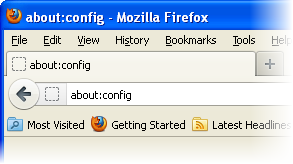
- Click I’ll be careful, I Promise!
- Search for the preference: keyword.URL

- Double-click on it, and set the value to: https://duckduckgo.com/?q=

- Click OK.
For more information, read the Location bar search article in Firefox Help.
You missed updating the context-menu entry for selected text (which also has no GUI).
It’s explained here:
http://help.duckduckgo.com/customer/portal/articles/216441-firefox
of course a lot of us still use that thing for searching called, you know, the search box!
https://addons.mozilla.org/en-US/firefox/search/?q=duckduckgo
I’d recommend using the SSL version of DuckDuckGo if you’re actually worried enough about privacy to want to switch from Google, which uses the following URL: https://duckduckgo.com/?q=
parameters ares usefull to change default languages when performing search
https://duckduckgo.com/params.html
For example results in french:
https://duckduckgo.com/?kl=fr-fr&q=
agree with https !
fred
Apparently this just replace Google by the new URL as default search engine.
Is there a trick to just add an URL and the name in the list of engines other than the “Add to Search Bar” extension ?
I’d appriciate it if the blog post was updated to have https rather then http. Right now the advice is not fully solid.
@Fred R it’s spelled: ‘useful’, even though you’re getting a full-use from it. 😉